Mobile-First Dashboard Redesign
Transforming SwiftSettle's file management from desktop-centric to mobile-optimized
COMPANY
RamQuest
ROLE
Product Designer
TEAM
Product Owner
Engineering Team
TOOLS
Figma
FigJam
TIMELINE
4 weeks
Project Note:
This work was completed at RamQuest before the company sold its ready2close product to Qualia in February 2025. The designs were production-ready but not launched due to the acquisition. SwiftSettle is used as the product name throughout this case study for confidentiality reasons.
When real estate professionals work from properties, cars, and closings, mobile can't be an afterthought.
The Challenge
SwiftSettle worked on mobile browsers—but it wasn't designed for them. Real estate professionals were pinch-zooming through critical workflows while standing in driveways and sitting at closings.
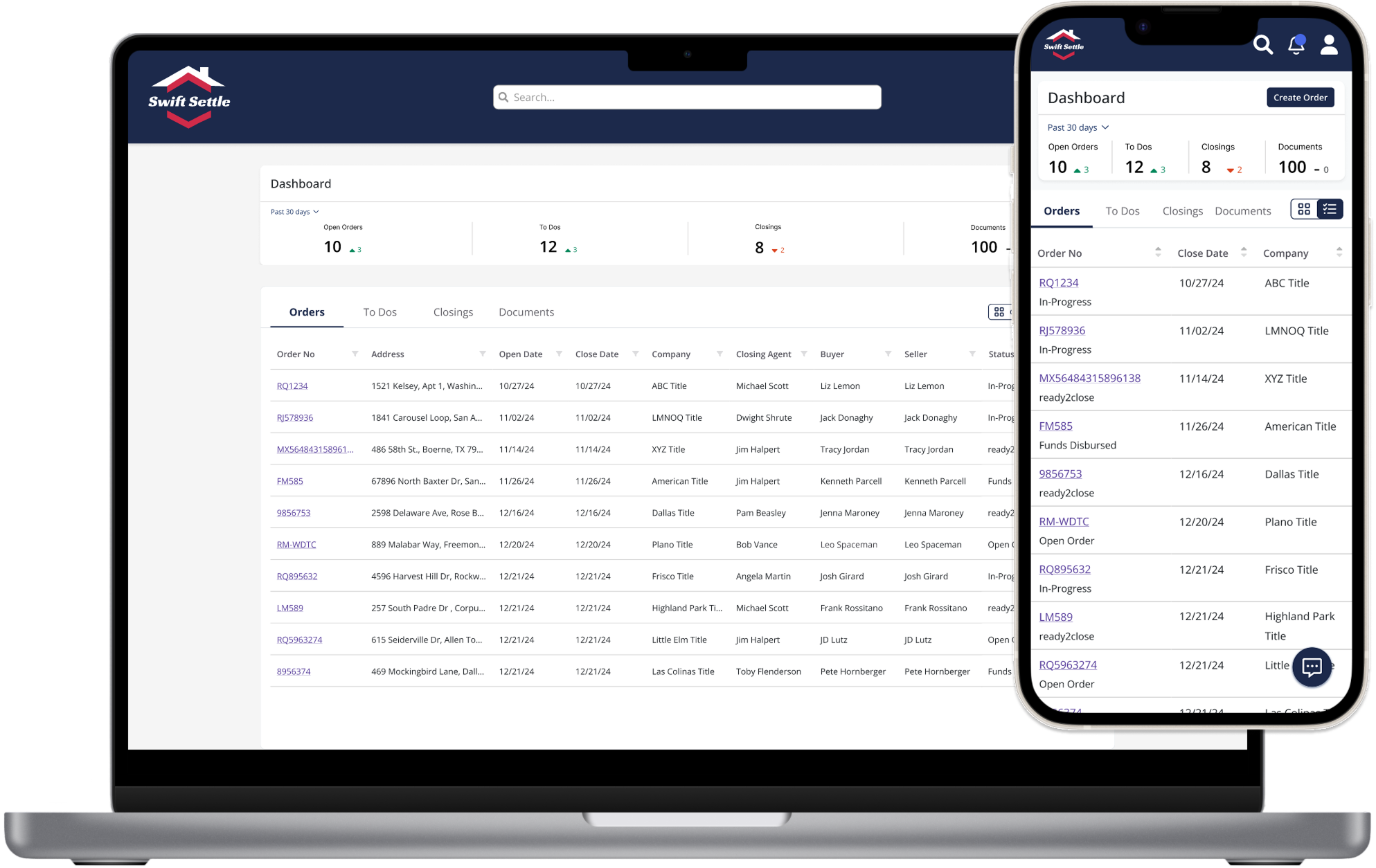
From desktop-only to mobile-first: A complete transformation
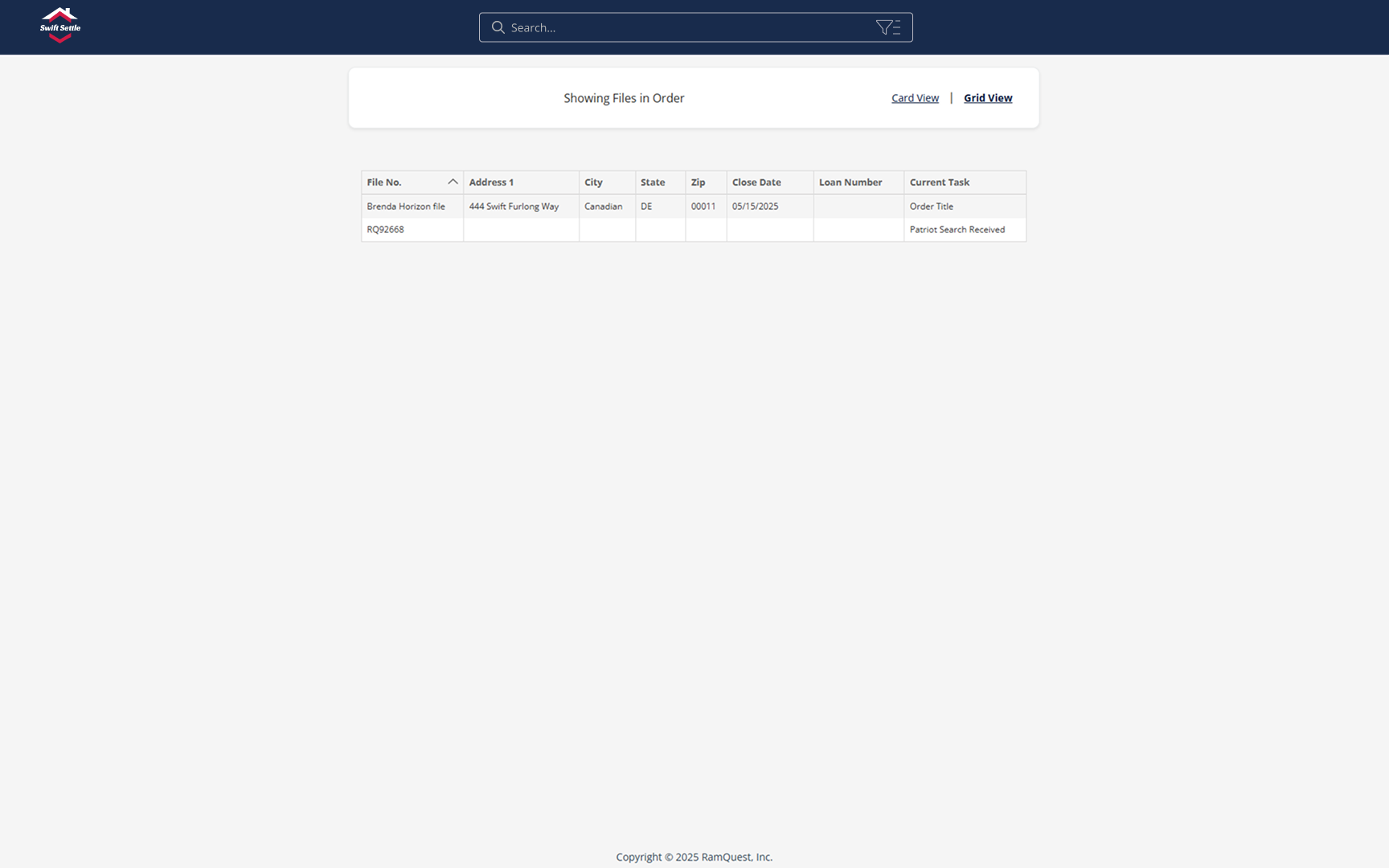
Wasted Space
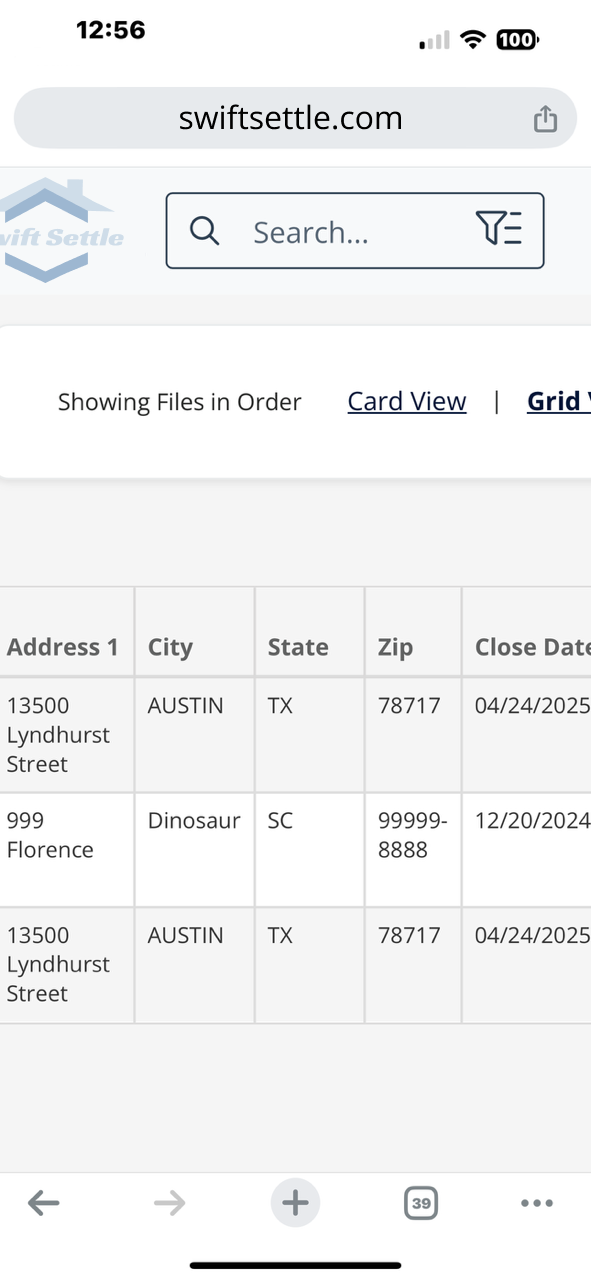
Cramped Mobile
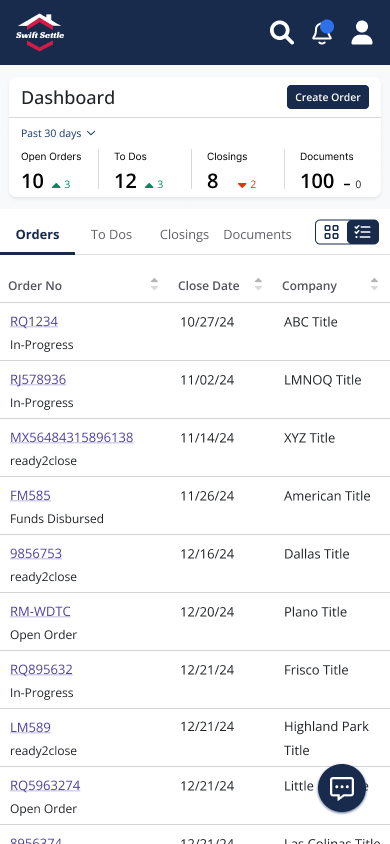
Mobile-First Design
Enhanced Desktop
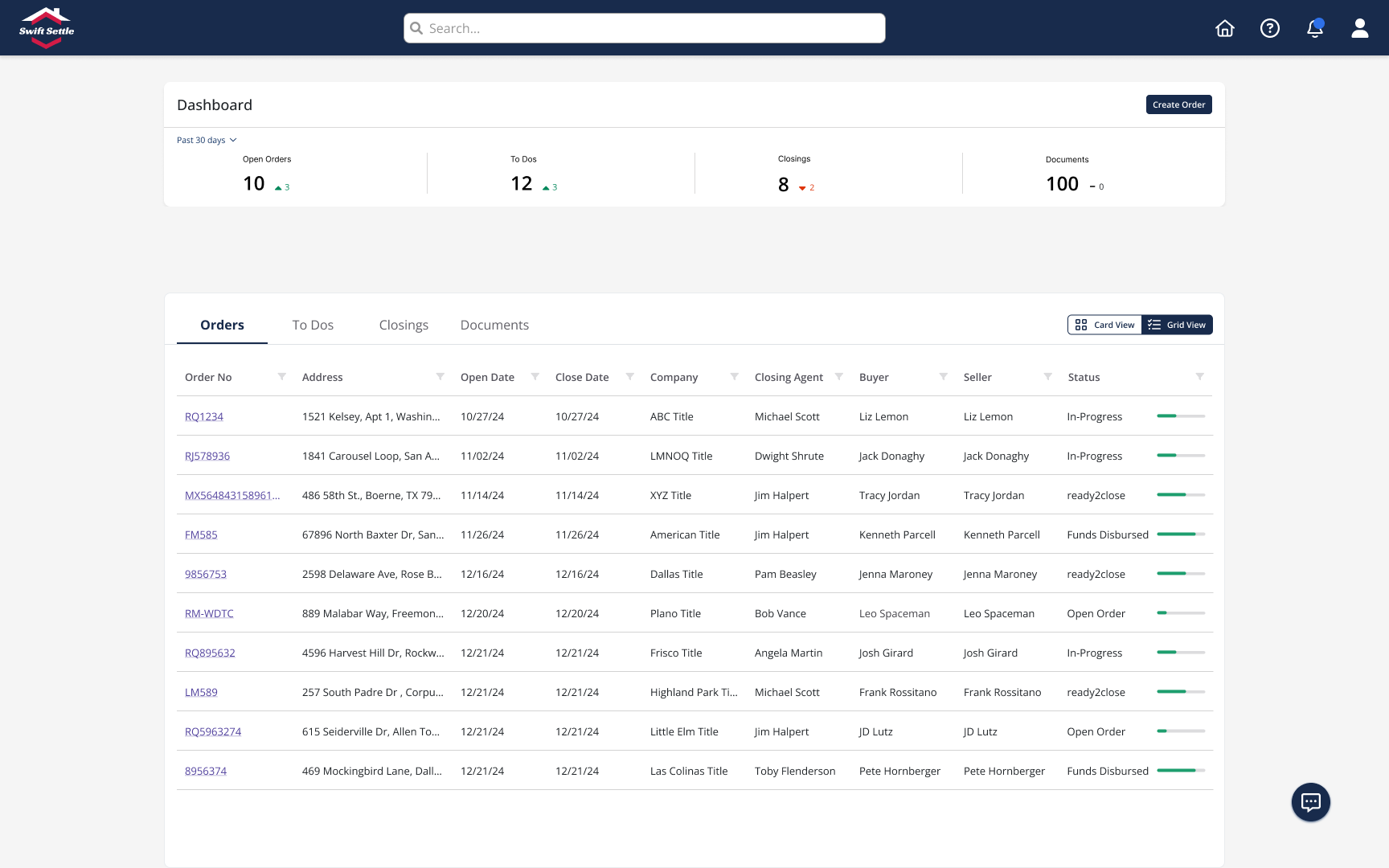
The Problem: Built for desks, failing in the field
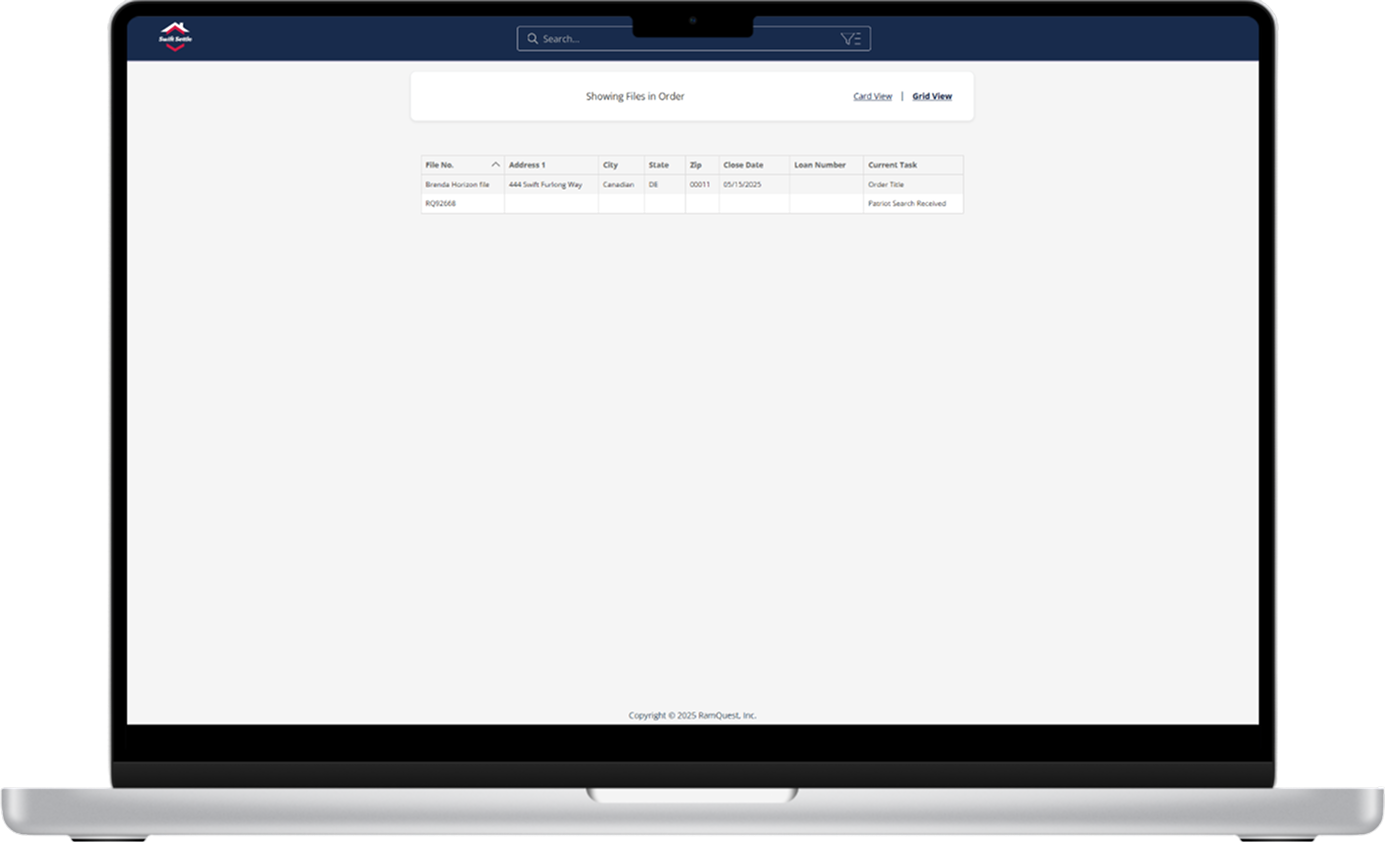
Minimal visual hierarchy and no context. The interface lacked professional polish and clear status indicators, making it difficult to quickly understand transaction status.
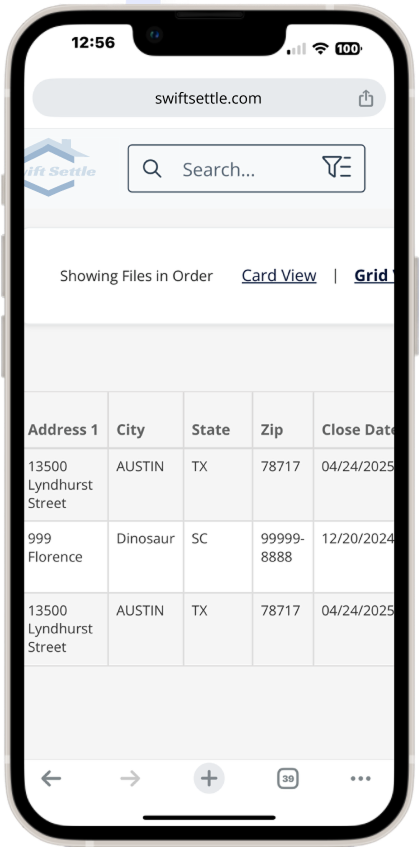
Desktop interface crammed into mobile viewport. Agents needed to pinch-zoom and scroll horizontally just to read property addresses.
Design Process
Starting with mobile constraints forced clarity and hierarchy that improved the experience across all devices.
Research & Analysis
Analyzed user interviews and performed competitive analysis of mobile solutions.
1
2
Mobile-First Design
Started with 375px viewport. Collaborated with product owner to determine essential columns for mobile, iterating together to balance information density with usability.
Progressive Enhancement
Scaled up to tablet and desktop, adding density without sacrificing mobile clarity.
3
4
Validate & Refine
Tested with stakeholders, refined toggle system, and polished interactions.
The Solution
Mobile-first design that works where real estate happens
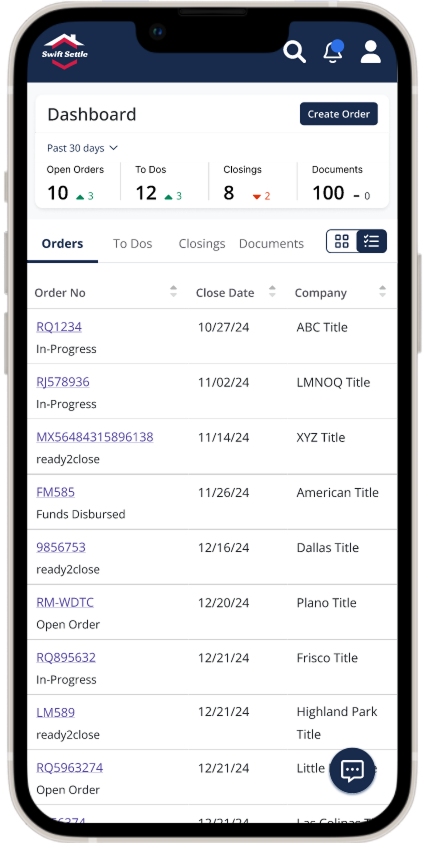
Dashboard with Metrics
Instant workload visibility with summary metrics. Touch-optimized interface with clear visual hierarchy and one-thumb navigation.
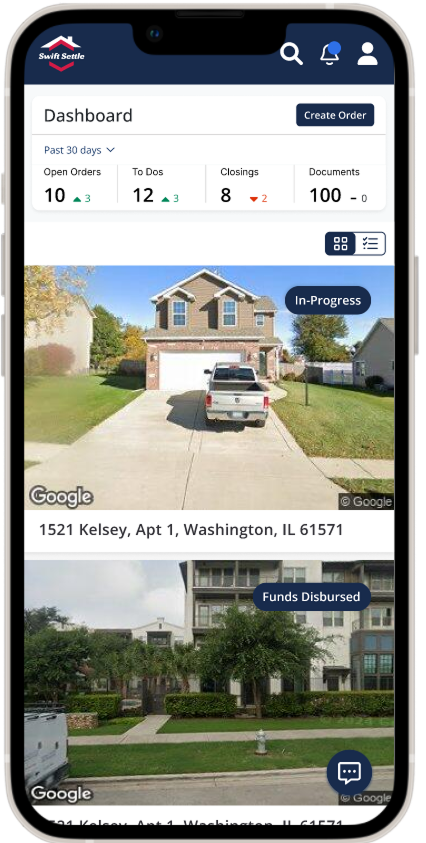
Card View with Toggle
User-controlled density. Toggle between professional grid view and visual cards—protecting users from poor-quality property images while offering choice.
Every element designed for real-world use: large tap targets, glanceable status indicators, and platform-appropriate navigation.
Desktop experience elevated through mobile-first thinking
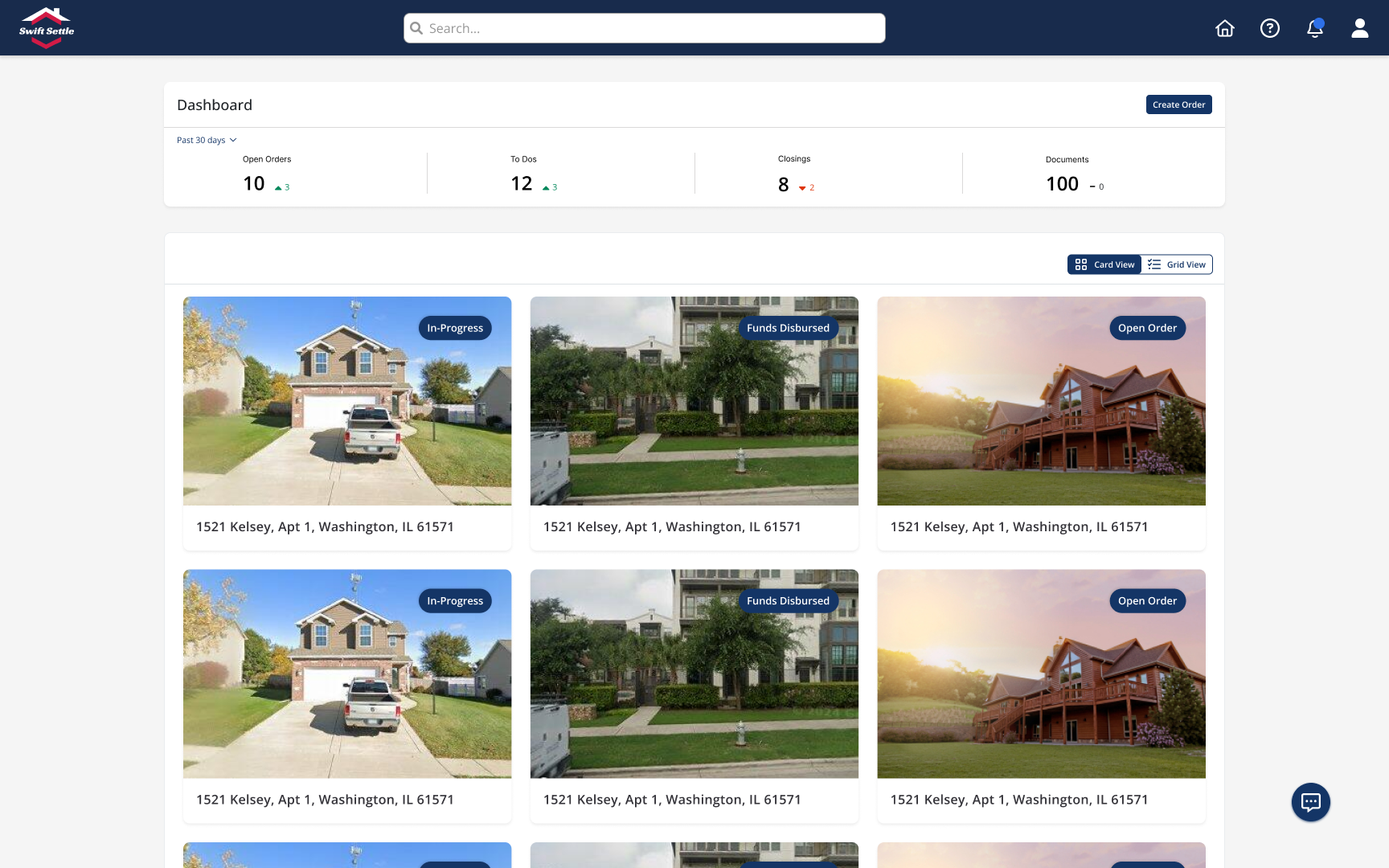
Card View
Rich visual browsing when image quality supports it.
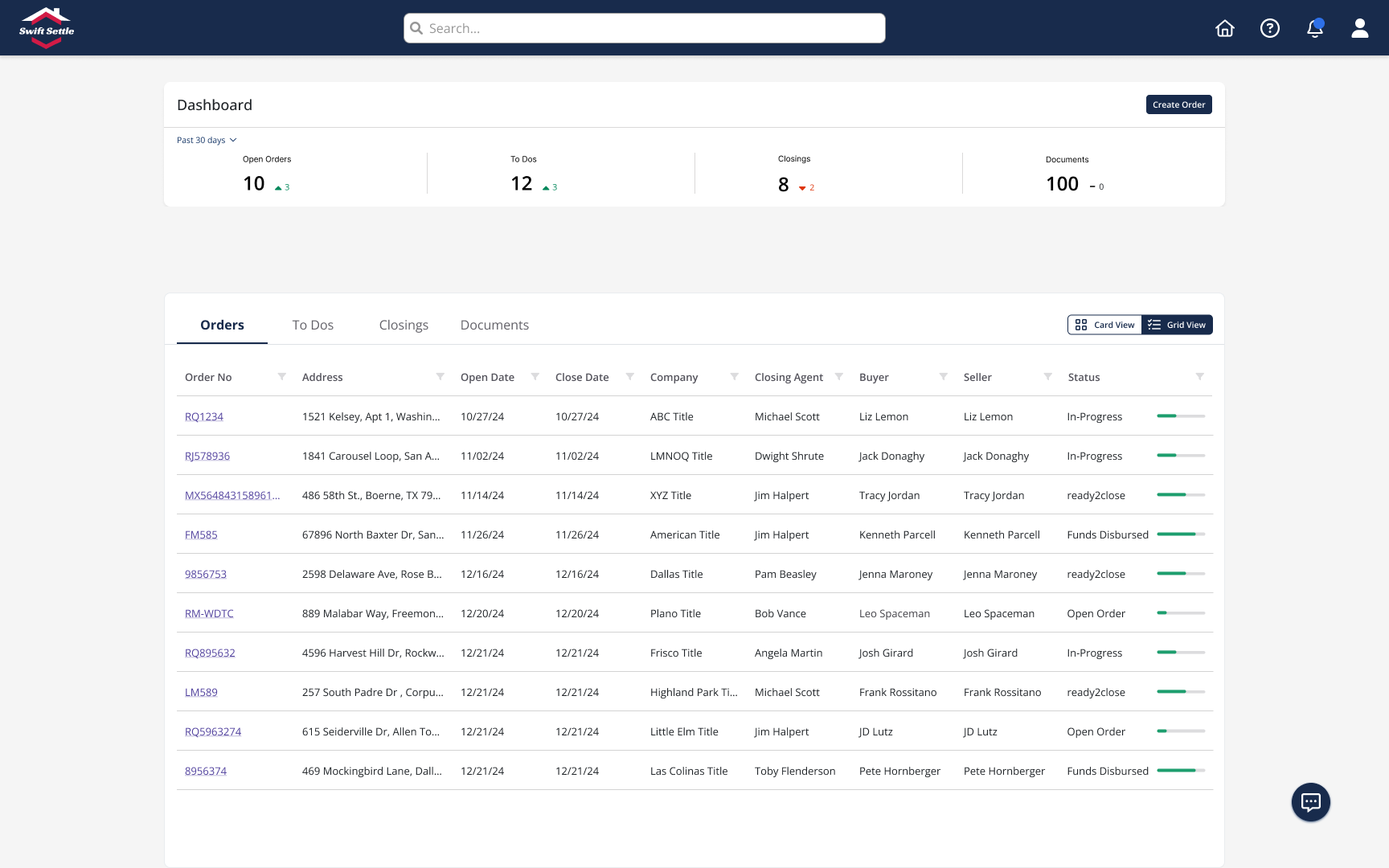
Grid View
Data-dense without overwhelming. Color-
coded progress bars.
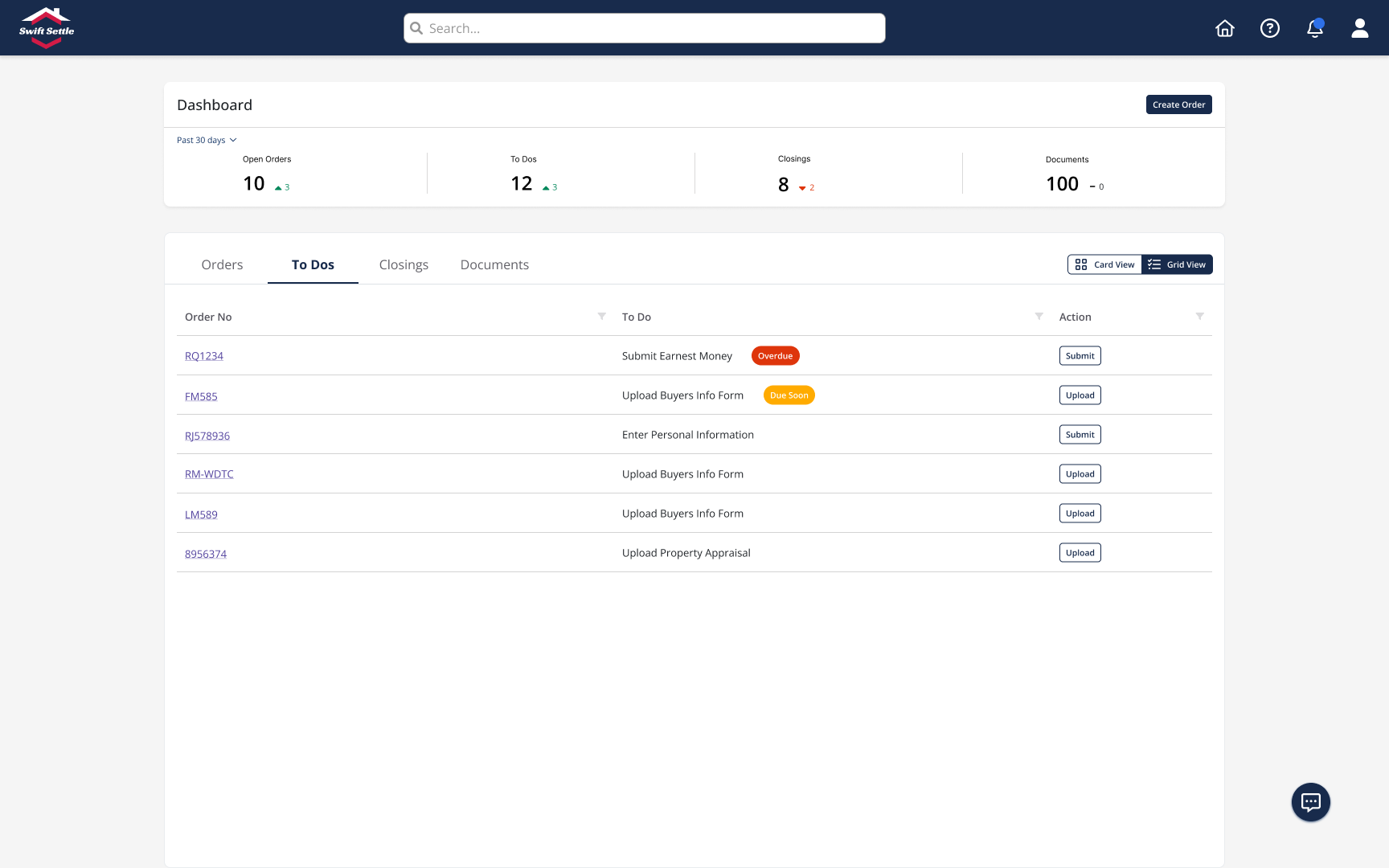
To-Do Management
Actionable task management with clear CTAs.
Mobile constraints forced clarity that enhanced the desktop experience. Better visual hierarchy, clearer status indicators, and a professional interface that builds trust—plus finally, usable mobile access.
Small details, big impact
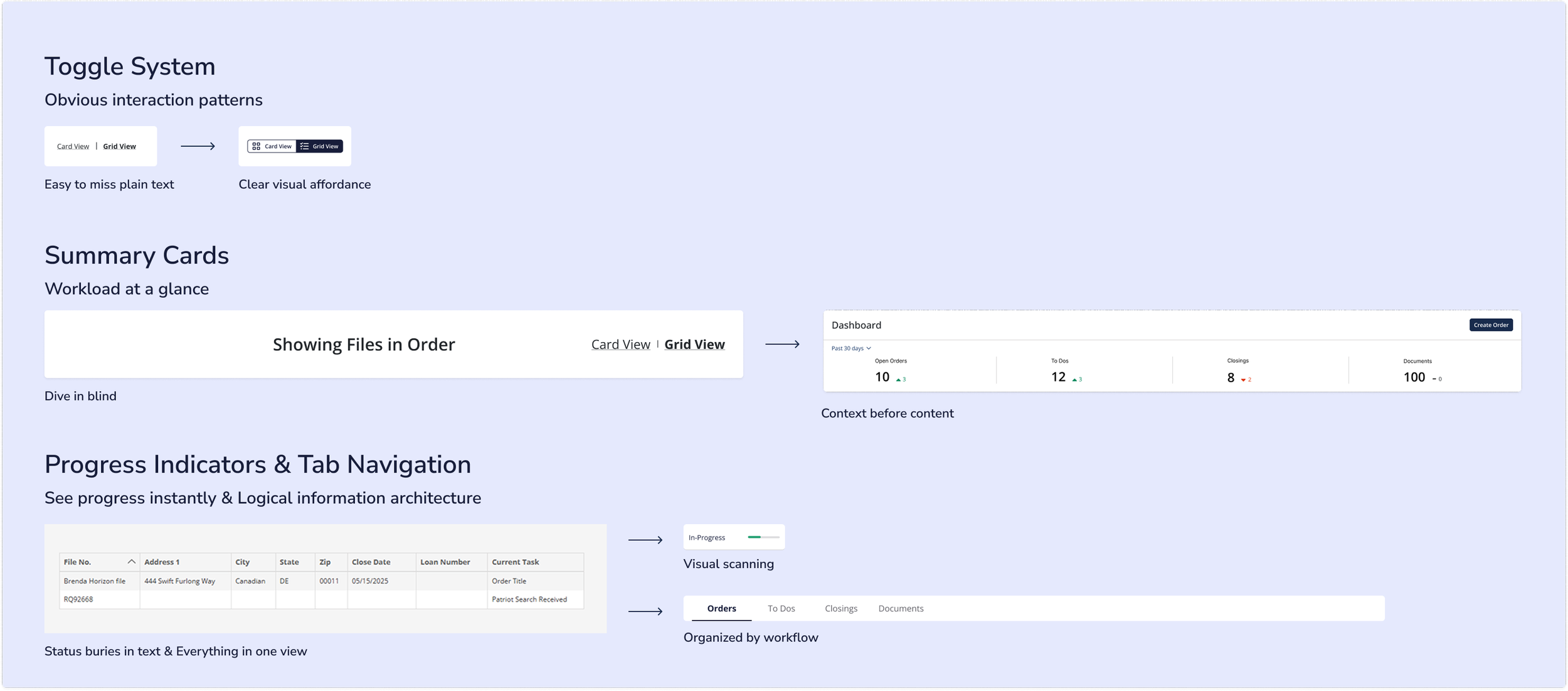
Designed to scale, built to last
True responsive design adapts layout and density while maintaining consistent functionality. From 375px to 1440px, every breakpoint serves its users.
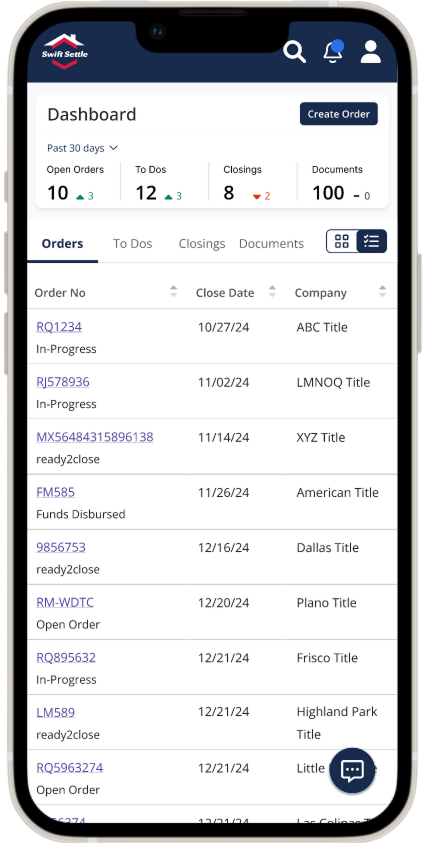
Mobile: Essentials only, within thumb reach
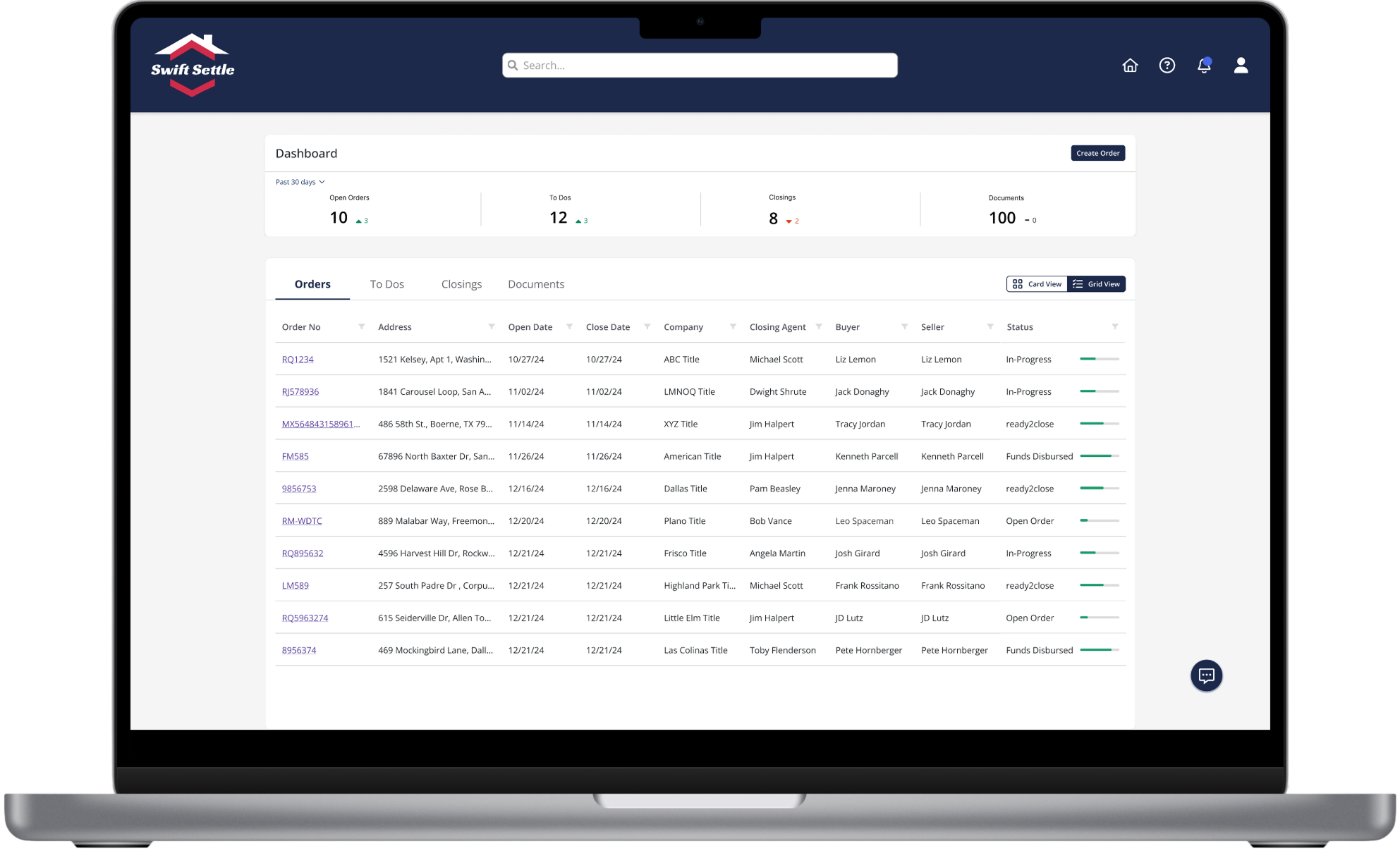
Desktop: Full power for heavy workflows
Outcomes & Validation
Design Validation
Eliminated pinch-zoom requirements entirely
All critical tasks accessible in 3 taps or less
Stakeholder approval on first review
Production-ready Figma components delivered
By starting with mobile's constraints, we created a system that works beautifully everywhere—proving that limitation breeds innovation.
Experience the Mobile-First Design
Mobile-first design isn't about making things smaller—it's about making them clearer. By starting with mobile's constraints, I created a dashboard that works beautifully everywhere, proving that limitation breeds innovation.
Check out my other case studies.